
Build the Context. Frame the Right Problem. Validate the Solution.
Generic AI gives you generic answers. Ideoz understands your full project context, domain expertise, and business constraints to help you build the context, frame the problem, and design the solution.
Why Most Designers Solve the
Wrong
Problem
Solving Problems That Don't Exist
- You design based on assumptions, not validated insights
- Stakeholder says "Improve UX" so you guess what that means
- No domain expertise = missing critical requirements
- Result: Beautiful designs that solve wrong problems
The Scattered
Information Problem
- Research in Drive, decisions in Slack, insights in Notion
- Can't connect the dots when designing
- Context reconstruction takes hours
- Critical details get lost
The Amnesia
Problem
- Every AI conversation starts from zero
- You repeat context in every prompt
- Previous decisions forgotten
- No learning or building on past work
The Generic Response
Problem
- AI doesn't understand your industry
- Ignores fintech regulations or healthcare compliance
- No specialized knowledge
- One-size-fits-all advice that doesn't fit your reality
The Ideoz Difference
"Designers waste 40% of their time on rework from solving wrong problems. Without proper context, you're designing blind."
The LEGO Intelligence System
Project Layer
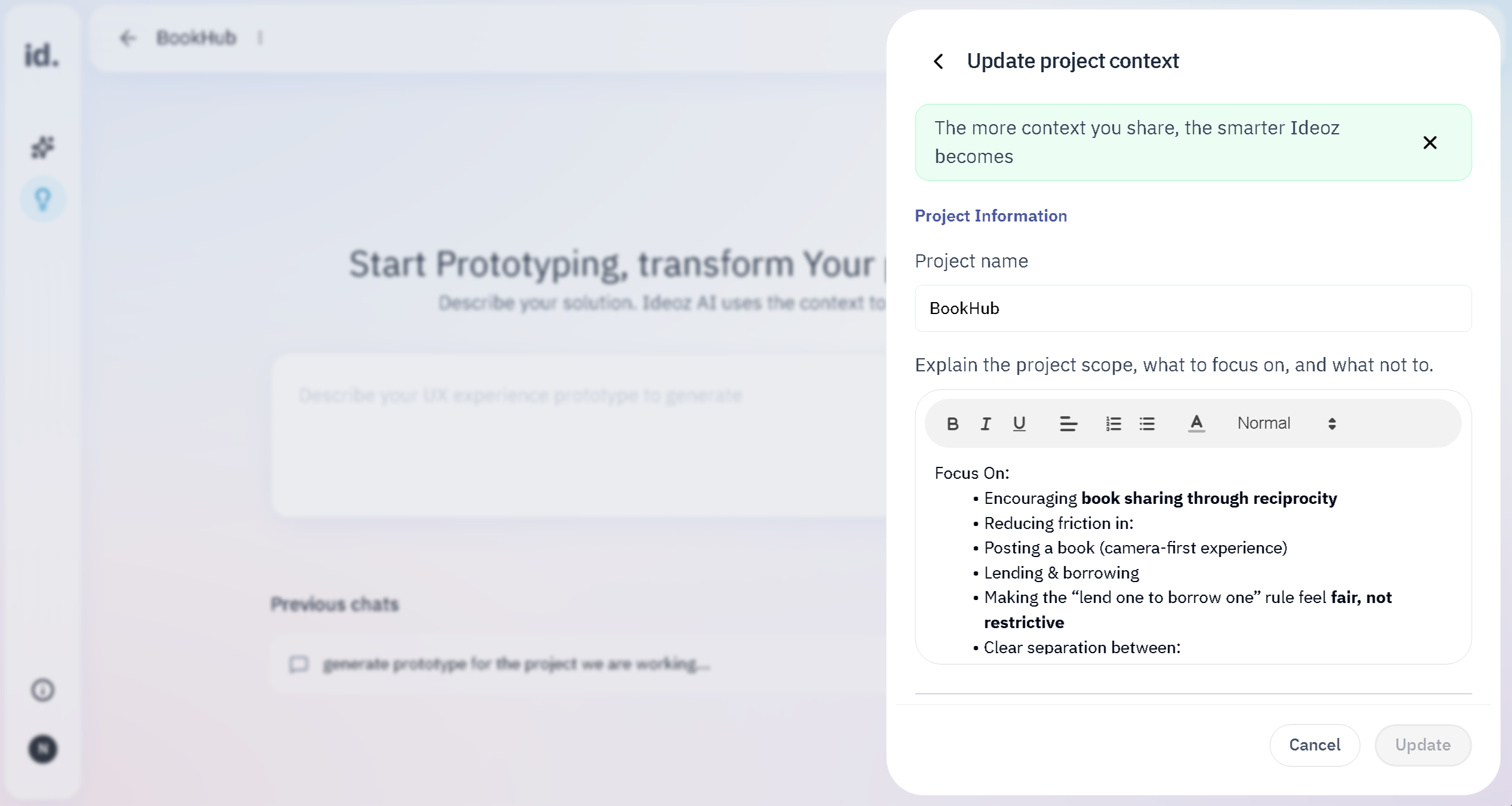
- Goals, constraints, stakeholders
- Your role and how Ideoz should support you
- Design process selection (Double Diamond, Design Thinking, etc.)
Design Process Layer
- Methodology-specific guidance
- Process-aware prompting
- Structured frameworks that match your workflow
Interaction Memory Layer
- Every conversation, decision, insight
- Why you chose certain directions
- Assumptions you've validated or rejected
- Complete decision history
Integration Layer
- Google Drive files automatically synced
- Figma designs referenced
- Brand system applied
- All project files in context
Domain Expert Layer
- Industry-specific intelligence (such as fintech, healthcare, B2B SaaS)
- Regulatory requirements (GDPR, HIPAA, PCI DSS)
- Proven patterns and anti-patterns
- User expectations by domain
- Compliance guidelines built in
These layers don’t just store information. They create intelligence. The more you work, the smarter your AI teammate becomes at helping you frame the right problems.
Stop Researching Industry Basics.
Start Framing Real Problems.
Without Domain Context: Fintech
"Users need better checkout experience"
Generic problem statement that misses regulatory requirements
Without Domain Context: Healthcare
"Patients struggle with appointment booking"
Surface-level problem missing critical healthcare context
Without Domain Context: B2B SaaS
"Users want easier onboarding"
Generic consumer thinking applied to B2B
With Domain Context: Fintech
"Users abandon at payment verification because they don't trust our KYC process. Solution must address PCI DSS compliance, progressive trust building, and regulatory transparency while reducing friction."
Specific, contextual problem that accounts for fintech realities
With Domain Context: Healthcare
"Patients with chronic conditions need recurring appointment patterns, but current system treats every booking as independent. Must address HIPAA-compliant communication preferences, accessibility for aging populations (avg literacy: 8th grade), and caregiver access controls."
Problem framed with healthcare-specific understanding
With Domain Context: B2B SaaS
"Decision makers need to evaluate ROI within trial period, but current onboarding optimizes for individual user activation instead of team adoption metrics. Must address admin provisioning, SSO integration timing, and multi-stakeholder buy-in process."
B2B-specific problem that reflects actual purchase behavior
Regulatory Frameworks
Frame problems within compliance reality
Industry Benchmarks
Validate assumptions against real data
User Expectations
Understand what users expect in your industry
Common Anti-Patterns
Avoid mistakes others have made
Proven Solution Patterns
Reference what actually works
Every Design Decision Explained. Automatically.
The Problem: You present a prototype. Stakeholder asks: "Why this layout?" You scramble to remember your reasoning. Your answer sounds defensive, not strategic.
The Solution: Ideoz connects every design decision back to your problem discovery with expert-level rationale. You present with confidence because your AI teammate documents your thinking automatically.
.webp)
Design Insights
Present with Confidence
Stop scrambling for rationale. Every design choice is documented with expert reasoning you can present to stakeholders.
Learn While You Work
See UX principles applied to your specific problems. Design Insights is your embedded design education.
Portfolio-Quality Use Cases
Export complete problem-to-solution stories with professional reasoning for job applications and portfolio work.
Onboard New Team Members
New team member joins mid-project? Share Design Insights so they understand months of decisions instantly.
Share Prototypes. Collaborate with Your Team.
Project context doesn't just help you work better individually. It enables seamless team collaboration by making your thinking, research, and prototypes instantly shareable.
One-Click
Prototype Sharing
Generate prototypes with full context and share instantly via link. Stakeholders see your solution with all the reasoning behind it.
Shared Design
Insights
When you share prototypes, Design Insights come with them.Everyone sees not just what you designed, but why you designed it.
Feedback
Integration
Gather stakeholder feedback on shared prototypes, then return to your project context to iterate.All decisions stay connected.
From Individual Discovery to Team Validation
Each context individually •
Share prototypes with AI
guidance •
Generate prototypes •
Share with team •
Gather feedback •
Iterate with full context preserved
Every step strengthens your team's shared understanding.
Why Creating Projects Changes Everything
1. Define the Right Problem Before Wasting Time on Wrong Solutions
Without Project Context: Designing Blind
You receive vague brief from stakeholder:
- "Improve the checkout experience"
- Jump straight to wireframes
- Design based on assumptions
- Miss critical business constraints
- Ignore domain-specific requirements
- Create beautiful UI for wrong problem
Result → 3 weeks wasted. Complete redesign needed
With Project Context: Framing Before Designing
You receive same vague brief:
- Open Ideoz, reference your project context
- AI knows your domain (e-commerce + subscription model)
- Uncover mode guides structured discovery
- Surface business constraint: payment processor limitation
- Identify real problem: trust at payment step, not checkout flow
- Frame specific, solvable problem
Result → Right problem solved in 1 week. No rework
Key Stat
40% of designer time is spent on rework from solving wrong problems. Project context eliminates this waste by ensuring proper problem framing first.
2. Your Decision Archive. Always Accessible. Never Lost.
You return to a project after 6 weeks. You need to remember why you chose approach A over approach B, recall what user research drove this direction, understand what business constraints shaped this, and explain your reasoning to a new stakeholder.
Without Project Context: Designing Blind
- Search through Slack for old messages
- Dig through Notion for research notes
- Check Miro for discovery workshops
- Try to reconstruct thinking from memory
Result → 4 hours reconstructing context before you can work
With Project Context: Framing Before Designing
- Open project
- Full conversation history preserved
- Every decision documented with rationale
- Research files already integrated
Result → Instant context recovery. Start working immediately.
Context Changes Everything
Solve problems based on guessing
Frame problems based on domain expertise
AI forgets between sessions
Continuous memory across all work
Generic advice that doesn't fit your domain
Industry-focused intelligence
Repeat context in every prompt
Context builds automatically over time
Can't remember why you made decisions
Complete decision archive with rationale
Research scattered across 5 tools
Google Drive integration + unified context
Start from scratch when you return
Instant context recovery anytime
Generic design explanations
Expert Design Insights tied to discovery
Beautiful solutions to wrong problems
Right problems identified and solved correctly
Stop Guessing. Start Framing the Right Problems.
Create your first project and experience what it's like to design with full context, domain expertise, and intelligent decision documentation.